Use API operations as workflow steps.
Import an OpenAPI spec and choose an operation by name. Kitewell builds its request form from the spec. Reuse the connection across workflows in the project.
Import an API → KitewellBeta status
Public beta coming soon
Connect scripts, APIs, containers, and AI agents in a desktop app. Build the workflow visually, schedule it, and inspect the output of each step.
First release for macOS 13 or later.
Meet Kitewell
Build visually. Run on your terms. With or without code.
Serious workflows. Seriously simple. For builders, with or without code. Kitewell: build visually, run on your terms. Instrumental electronic music plays throughout; there is no narration.
Build a workflow without writing code. In the visual editor, customer feedback flows from a connected API to an AI decision. The question “Does this feedback need a reply?” creates the next path: draft a reply, then ask a person to approve it. Select Weekdays at 9:00, review, and start the run. All four steps complete on your machine. This illustrative demo uses tools configured in advance.
Your tools. One flow. Connect AI harnesses such as Codex, Claude Code, and Gemini; Docker images; commands; remote servers over SSH; decision APIs; and imported OpenAPI actions.
Runs locally. Works together. The full film shows team members running workflows, viewing results, and managing workflows through MCP. Share access through MCP and REST while keeping execution on your machine.
Or simply ask. A chat agent connected through MCP receives the request “Build a daily feedback workflow. Flag urgent issues for review.” Kitewell creates, validates, and schedules the workflow for review. Build, run, inspect, and fix workflows from the conversation.
Easy to build. Yours to run. For the team that imagines it and the people who make it happen. The short film ends with “Runs on your Mac. Shared with your team.” Explore Kitewell at kitewell.app.
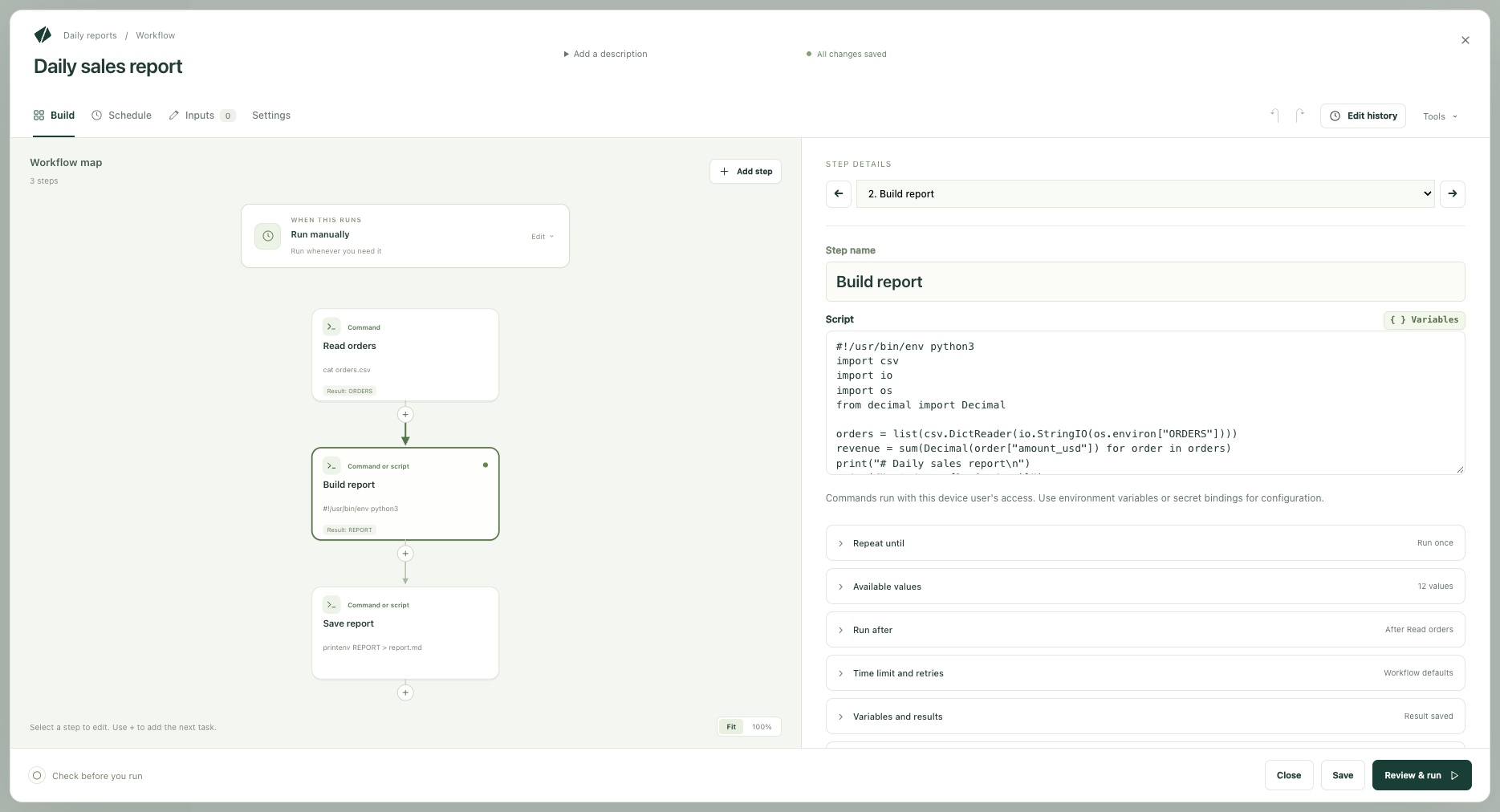
Example workflow
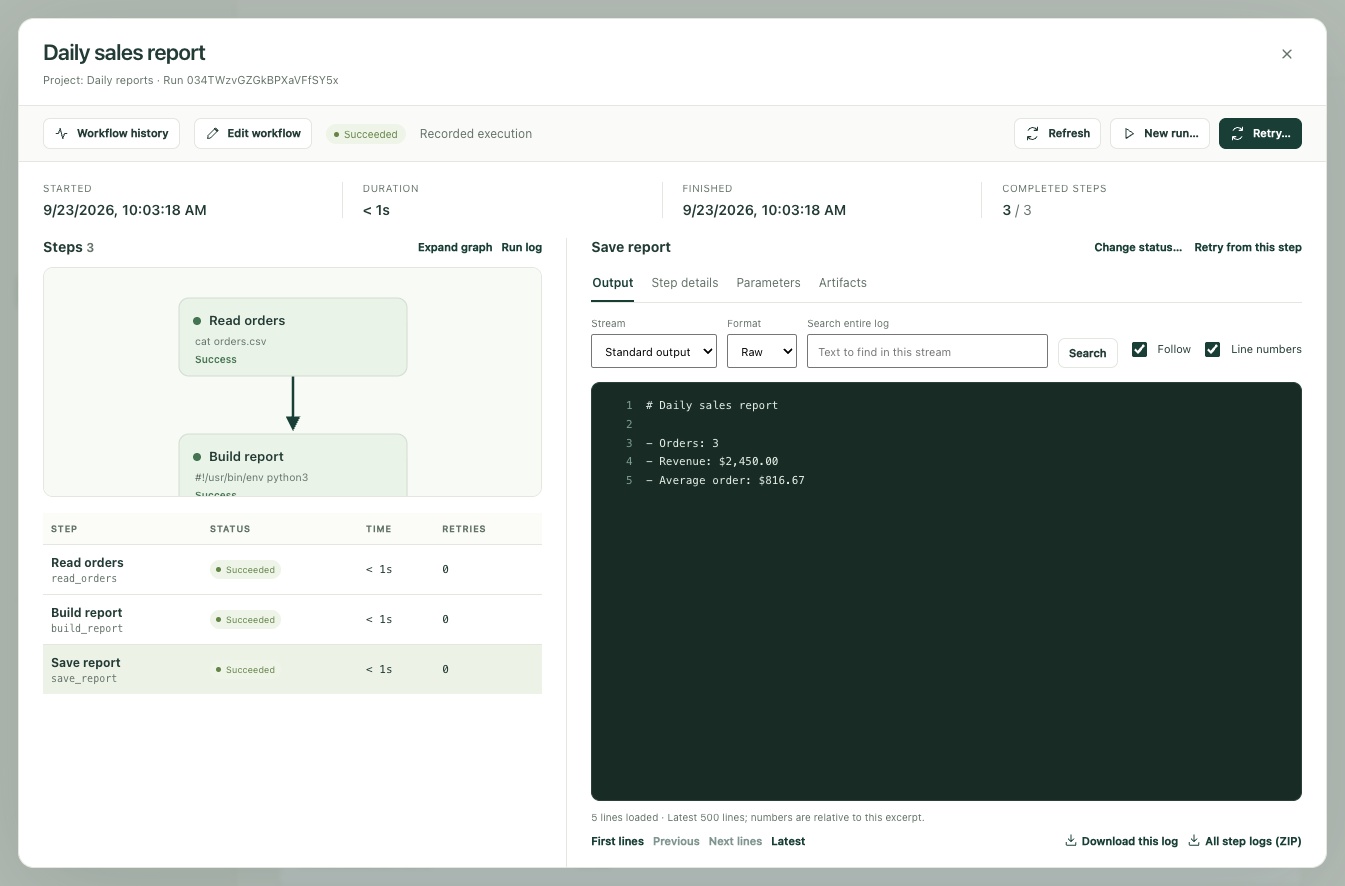
Run a Python script against sample sales data, save a Markdown report, and check the result in the run log.
Import an OpenAPI spec and choose an operation by name. Kitewell builds its request form from the spec. Reuse the connection across workflows in the project.
Import an API →Run on demand, daily, on weekdays, or on a custom schedule. On macOS, Kitewell keeps working from the menu bar when you close its window. Scheduled runs need an awake machine with your user signed in.
How schedules work →Open a run to see which steps finished and which failed. Select a step to read its output and errors. Workflow definitions and execution logs are stored on your machine.
Run and inspect a workflow →Planned launch pricing
No Kitewell account required. Pro supports up to ten projects for $15/month (USD).Compare plans →
Public beta coming soon · macOS 13+